Our Class Enrollment Instructions

Step Up for Students Payment Instructions
Why Do I Need Elite Animation Academy?
Elite Animation Academy is the ideal choice for aspiring animators due to several key reasons:
Expert Instruction: Learn from former Disney and Marvel animators who bring professional experience and a passion for teaching.
Comprehensive Curriculum: Courses cover 2D and 3D animation, video editing, special effects, and game design, tailored to all skill levels.
Flexible Learning: Offering both in-studio and online classes, accessible from anywhere.
Personalized Attention: Small class sizes ensure individualized feedback and support.
State-of-the-Art Facilities: Access to the latest industry technology and software.
Successful Alumni: Graduates have been accepted into prestigious art schools and built successful careers.
Engaging Programs: Popular summer camps and regular courses keep students inspired and learning year-round.
Community and Networking: Join a supportive and vibrant community of artists and animators.
Why Should I Choose Elite Animation Academy?
Elite Animation Academy is the ideal choice for aspiring animators due to several key reasons:
Who is Elite Animation Academy?
We are "Developing Young Minds Through The Art Of Animation"
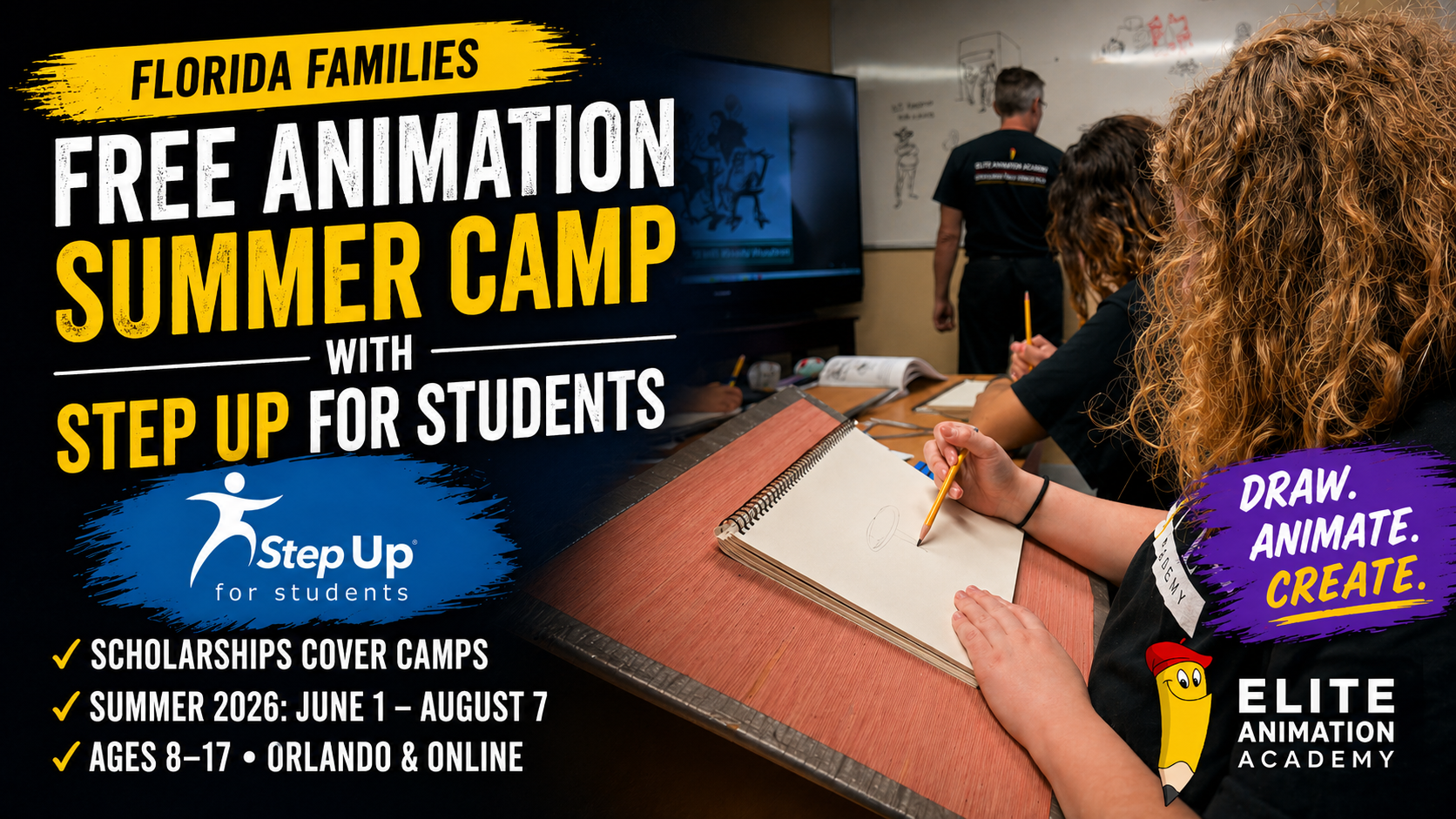
“Elite Animation Academy provides art and animation training. Bringing students together with experienced animation instructors to maximize marketability and opportunities. Our vision is to become the best Animation Academy in the world. Elite Animation also hosts the Digital Arts for Autism (DAFA) school for adults with autism. DAFA is a program partner for the Florida Gardiner Scholarship Step Up program, a statewide initiative designed for children with special needs.”
Featured By:
“Elite Animation Academy has plenty of qualities which makes it the ideal learning center for young kids who show any artistic interest. It’s mentors are quite experienced in their fields, coming from big name companies like Disney and Marvel among others. The only trait these educators share which is greater than their artistic skill is their patience and ability to teach. From someone who has been around Elite Animation for plenty of years, I can assure anyone that with dedication, results are very easily attainable.”
Ali Malik
Ringling College of Art and Design
“Elite Animation Academy provides an ideal environment for any student to further their artistic skills & style. The instructors are not only knowledgeable, but bring their own experiences working in the arts to class. In addition to the talent the instructors share with students, they are encouraging and engaging. On several occasions, instructors have given me to tools and confidence to push myself to a higher skill level. My involvement at Elite Animation Academy has led me to attend summer seminars at SCAD, where the instructors were impressed by my previous training. Next year, I hope to use the skills I’ve obtained at Elite Animation Academy to explore other summer seminars at CalArts”
Peyton Cantle
SCAD or CalArts
“I really enjoyed attending Elite Animation Academy! The courses I took were fun, and gave me a useful foundation in Character Design and Animation, as well as helping me build my portfolio. The mentoring I received there was also very helpful, and I’m thankful for that guidance. Taking courses at Elite Animation Academy helped solidify my love for animation and illustration, and I hope to keep growing the skills I learned there in the future.”
Izzy Robe
Ringling College or Art & Design
see our top notch services
Sed ut perspiciatis unde omnis iste natus error sit voluptatem accusantium doloremque laudantium.
Our Plans
Sed ut perspiciatis unde omnis iste natus error sit voluptatem accusantium doloremque laudantium.
Standard
- 5 Projects
- 5 GB Storage
- Unlimited Users
Premium
- 10 Projects
- 15 GB Storage
- Unlimited Users
Professional
- 15 Projects
- 30 GB Storage
- Unlimited Users
Extreme
- Unlimited Projects
- Unlimited Storage
- Unlimited Users
enroll today and get started
Ready to know more?
You can also check out and enroll with us today.
Try our Live Chat also when available, located below.
Elite Animation Academy • Photoshop • AI
Photoshop AI Just Leveled Up: What Beginners Should Learn First (and What Pros Do Differently)
Photoshop’s latest generative updates are making results cleaner and iteration faster—so students learn smarter, and pros polish with fewer detours.
Example: Firefly Fill & Expand improvements highlighted in Adobe’s latest Photoshop innovations. The quick take
- Generative Fill / Expand continues improving for realism and control, with stronger quality and more usable results.
- Generate Similar helps you explore variations quickly—great for concepting, scene problem-solving, and design exploration.
- Photoshop supports model choice within Generative Fill workflows (Firefly and partner model options), which can affect how results look and behave.
- Best output still depends on fundamentals: selections, masking, lighting logic, and cleanup.
PipCast (listen)
Press play for the under-3-minute audio summary.
Why this update matters (and why it’s trending)
The conversation around Photoshop AI has shifted from “Can it do it?” to “Can it do it cleanly, at usable resolution, and with consistent control?” Recent Adobe updates emphasize improved quality and faster iteration in generative workflows, which matters most when artists need believable detail, fewer artifacts, and repeatable results.
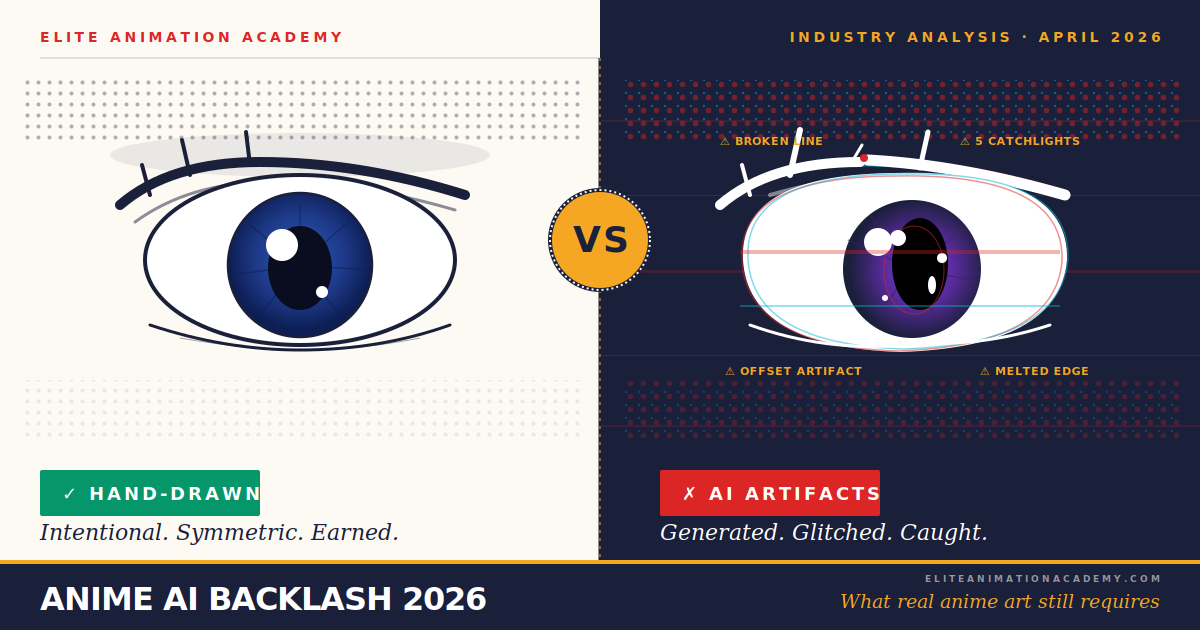
Here’s the learning takeaway: AI doesn’t replace fundamentals—it makes fundamentals more valuable. The stronger your selections, masking, and visual logic, the more professional your AI-assisted work looks and feels.
Pip Tip: Don’t chase “perfect prompts.” Chase perfect control—clean selections and lighting logic beat clever wording every time.
A learning path: early learners → seasoned pros
1) Early learners & first-timers: control before creativity
If you’re new (or teaching a young artist), the goal isn’t to generate the coolest image—it’s to build habits that keep results clean, safe, and easy to improve.
- Selections + masks: start with Quick Selection or Lasso, then refine edges.
- Layer discipline: keep edits non-destructive, name layers, and save versions.
- Prompt clarity: describe materials, lighting, and camera angle in simple terms.
Outcome: edits blend naturally instead of looking “pasted on.”
2) Intermediate creators: iterate fast, then clean it up
This is where Generate Similar becomes a real advantage: you can explore multiple believable directions, pick the best, and then polish with traditional tools.
- Variation loops: generate 4–8 options, choose 1, refine selection, repeat.
- Artifact cleanup: repair seams, shadows, and texture breaks manually.
- Consistency checks: match grain/noise, light direction, and edge softness.
Outcome: your work stops looking “AI-ish” and starts looking intentional.
3) Seasoned pros: choose the model, choose the purpose
Pros treat AI like a production tool: they choose the workflow that matches the job—concept, matte painting support, texture work, cleanup, or revision speed—then they finish with fundamentals so the output meets a professional standard. With model choice appearing in Generative Fill workflows, experienced artists can test different model behaviors depending on the look they need.
- Model intent: select based on realism, stylization, or consistency requirements.
- Resolution + compositing: prioritize usable detail, then integrate with classic retouch/paint.
- Documentation: keep layered files and track changes for clean revisions.
Outcome: faster ideation without sacrificing quality control.
Mini-workshop: a clean Generative Fill workflow
Try this short exercise. It scales from beginner control practice to pro-level iteration speed.
Step 1: Make a clean selection so the edit stays exactly where you want it. Step 2: Use Generate Similar to explore a few variations, then choose one direction to refine. Step 3: After generating, polish: match lighting, unify texture, and keep edges consistent so it feels “in-scene.” Pip Tip: If the result looks off, refine the selection and fix the lighting mismatch before you regenerate.
Watch: what’s new (fast overview)
If you want a quick visual rundown of the upgrade conversation, this explainer is a solid starting point.
Responsible AI (especially for students)
- Use AI for drafts and exploration, then build originality through decisions, design, and fundamentals.
- Avoid copying living artists’ signature styles for commercial work; develop your own visual identity.
- Keep layered files so revisions and improvements are transparent and teachable.
Keep creating with confidence
Elite Animation Academy helps students build real animation-driven digital art skills through fundamentals, creativity, and guided practice—online and in-studio.
Elite Animation Academy • Developing Young Minds Through The Art of Animation
Questions? [email protected] • 1.407.459.7959FAQ
Is Photoshop AI “good enough” for real projects?
It can be—when paired with strong fundamentals. The best workflows use generative tools for ideation and targeted edits, then rely on classic Photoshop skills such as masking, cleanup, and lighting consistency to reach professional polish.
What should beginners learn before Generative Fill?
Clean selections and masking. If you can’t control the boundary of an edit, AI outputs will look messy. Learn to refine edges and keep edits non-destructive with layers.
What is Generate Similar used for?
It’s for fast variations—exploring multiple directions from a similar edit so you can pick the strongest option, then refine it with traditional tools.
Do different AI models change results?
Yes. Different models can produce different textures, realism, and stylistic tendencies. Model choice matters most when you’re aiming for a consistent look across multiple edits.
References & learning resources
- New Photoshop innovations (Adobe Blog, Jan 27, 2026): View source
- Get new variations with Generate Similar (Adobe Help, updated Feb 27, 2026): View source
- Edit images with Generative Fill (Adobe Help): View source
- Photoshop Generative Fill product page (Adobe): View source
- Video explainer: Watch
- Trending in animation • Originals + world rules
Pond Rules: What Pixar’s Hoppers Can Teach Young Animators About Building Unforgettable Worlds
A trend-anchored breakdown for parents and students: rules-based worldbuilding, clean stakes, and visual clarity that become portfolio-ready work — in-studio or online at Elite Animation Academy.
Developing Young Minds Through The Art of Animation Former Disney & Marvel instructors Small classes • real-time feedbackInside the Orlando studio. Image credit: Disney/Pixar via GamesRadar. Why this topic is trending (and why it matters for student artists)
1) “Pond Rules” worldbuilding = instant readability
A single world rule makes every scene a game: follow it, break it, bend it, weaponize it. That’s how you get clarity fast — and clarity is the #1 portfolio advantage for beginners.
Context: coverage of Hoppers and its rules-based pond society.
2) Original animation is fighting for attention
Industry framing around 2026 highlights pressure on studios to make new IP land. That trickles down to what artists must show: strong ideas communicated visually, quickly.
Context: TheWrap analysis on original animated films in 2026.
3) Small projects can look “pro” with the right structure
Students don’t need a feature film. They need one readable rule, one clear objective, and one 6–10 second shot that sells it with acting + timing.
Below: a challenge you can do this week.
The “Pond Rules” framework: a pro shortcut for students
When a story world has rules, audiences lean in — because every scene becomes a test: Will the character break the rule? Bend it? Weaponize it? Rules also help young animators decide faster: posing, acting, timing, camera, even sound design.
Step 1: Write one rule (then write one exception)
- Rule: “When you gotta eat, you gotta eat.” (Nature is honest.)
- Exception: “Unless it’s during the Spring Festival.” (Now you have comedy + conflict.)
Student challenge: storyboard a 6–10 second moment that reveals the rule + exception without dialogue. Your audience should “get it” instantly.Step 2: Use “two lenses” (human view vs. creature view)
Humans see a pond as background. Creatures see it as civilization. For students, that becomes two practical skills: camera language (scale, POV, motion) and acting choices (fear, swagger, curiosity, guilt).
Step 3: Build a one-page mini story bible
- World Rule + Exception
- Hero Want (save the glade / win the race / protect the friend)
- Pressure (deadline, rival, storm, “mayor,” etc.)
- One shot that proves the rule visually
The 10-second test
Pros start clear. Your student’s goal: make a stranger understand the rule in 10 seconds. Timing, posing, and readability are the core.
Try it at Elite Animation Academy
Elite Animation Academy offers in-studio and online classes taught by professionals including former Disney and Marvel animators — with real-time demos, feedback, and a fun, confidence-building environment.
PipCast: “Pond Rules” — Story Worlds Kids Can Animate This Week
A quick episode tying trending animation worldbuilding to a student-ready challenge.
PipCast • Listen nowEpisode Transcript
PIP: Hey animators — Pip here. Quick question: what makes a world feel real in seconds?
PIP: Rules. Not boring rules — story rules. Like “Pond Rules,” the idea floating around Pixar’s upcoming Hoppers: a pond society where everyone tries to get along… even though nature still has teeth.
PIP: Here’s the trick: when you give a world one clear rule, every scene becomes a game the audience can play.
PIP: Today’s challenge: write one rule, then one exception, and animate a six-to-ten second shot that shows the rule without dialogue.
PIP: Want pro feedback? Elite Animation Academy runs in-studio and online classes taught by former Disney and Marvel animators.
Ready to level up with pro feedback (without the pressure)?
Structured paths for beginner → advanced. Strong fundamentals: storyboarding, acting, timing, and portfolio-ready shots.
What students learn
- 2D & 3D animation fundamentals
- Storyboarding, acting, timing
- Editing/VFX options
- Portfolio-ready projects
Why Elite
- Former Disney & Marvel instructors
- Real-time demos + feedback
- Small classes, high attention
- Fun, confidence-building environment
FAQ: Parents & Students
Do you offer both in-studio and online classes?
Yes. Elite Animation Academy offers in-studio programs and online/virtual options, depending on the active schedule.
Who teaches the classes?
Instructors include professionals with experience at major studios (including Disney and Marvel), with live demos and feedback.
What ages or levels can join?
Programs range from beginner through advanced, with options for different ages and goals (including portfolio building).
How do I see the current schedule?
Use the schedules page to view the currently active schedule links for in-studio and online sessions.
References
- 2026 Skills Roadmap Parents • Teens • Beginners AI + Real-Time 3D + Fundamentals
2026 Is the “Convergence Era” for Creators: What Students Should Learn Now (AI + Real-Time 3D + Fundamentals)
Real-time 3D, immersive delivery, and AI tools are converging fast. The opportunity is huge—but only for students who build the right foundation and learn how modern pipelines work. Here’s a clear, parent-friendly roadmap from Elite Animation Academy.
0:00 / 0:00Tip: If you embed this post in an iframe or narrow container, this layout stays single-column until the snippet container itself is wide enough for multi-column.
Why everyone is talking about “convergence” right now
“Convergence” is what happens when real-time 3D, AI tooling, and immersive / interactive delivery stop being separate tracks and start becoming one production reality. For students, that changes what “entry-level ready” looks like: you still need fundamentals, but you also need to show you can create inside modern pipelines.
Parent-friendly takeawayThe best path isn’t chasing every trend. It’s fundamentals + modern workflow: strong drawing/acting/story plus the ability to build, iterate, and present work using today’s tools.What this means for animation and game design students
1) Real-time skills increasingly differentiate students
Students who can assemble scenes, block shots, light, and iterate quickly in a real-time engine have more doors open across games, previs, interactive media, and rapid visualization.
Practice (10 minutes)- Build a simple room or street scene.
- Place 3 cameras (wide / medium / close).
- Make one lighting change and re-render.
2) AI literacy is becoming a baseline professional skill
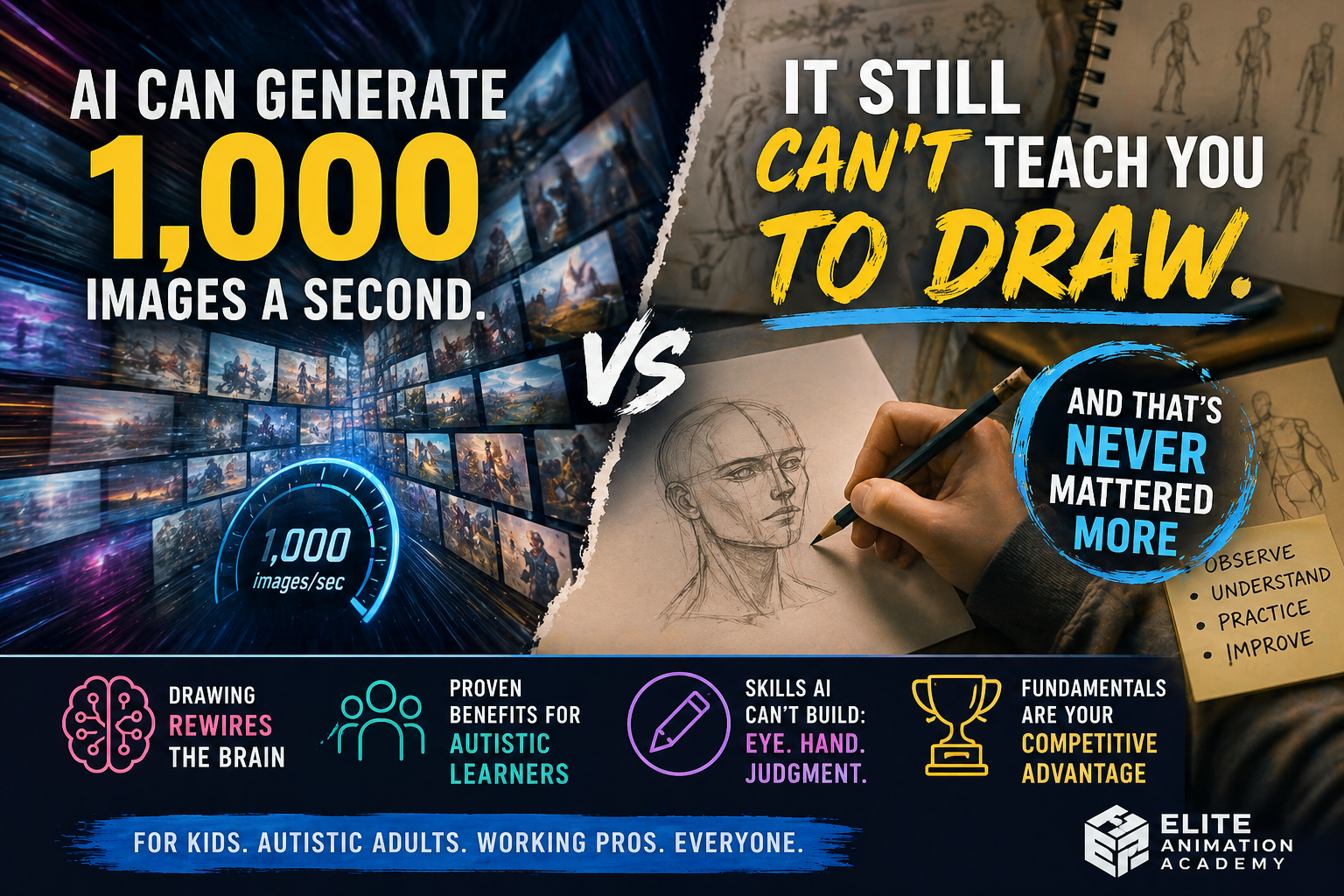
Not “replace the craft,” but use AI responsibly for ideation, reference exploration, iteration, and communication—then finish with strong fundamentals and clean presentation.
Practice (8 minutes)- Generate 5 concept variations (shapes/silhouettes).
- Pick 1 and redraw it from scratch.
- Write a 1-sentence “design intent.”
3) Fundamentals still decide who stands out
Great posing, acting, timing, composition, and clear storytelling are what make reels memorable. Tools accelerate the process—but fundamentals define the result.
Practice (12 minutes)- Draw 10 gesture poses (30–45 sec each).
- Pick 1 and push the silhouette.
- Add a clear line-of-action.
The 2026 skill stack (what to learn, in order)
If you’re a teen building a portfolio (or a parent supporting one), use this order to avoid wasted effort.
1) Fundamentals (the portfolio multiplier)
- Drawing & design: shape language, appeal, perspective, anatomy basics
- Storytelling: staging, shot clarity, camera, emotional beats
- Animation principles: timing, spacing, arcs, weight, acting
2) Production skills (what makes work look “real”)
- Storyboarding & animatics: turn ideas into clear sequences
- 3D character animation: posing + performance + polish
- Editing & presentation: clean exports, simple cuts, strong titles
3) Modern accelerators (how students move faster)
- Real-time 3D workflow: scene assembly, cameras, lighting, iteration
- Responsible AI workflows: ideation, variations, reference discovery
- Pipeline habits: naming, versioning, organization, deliverables
Why mentorship matters more than ever
The consistent theme across serious creative training pipelines is simple: students develop faster when they have feedback loops and learn how to work toward real deliverables. That’s why we focus on reps + critique + finished work—so students don’t just “learn tools,” they learn to ship.
A quick self-check for parents
If your student is “busy” but not improving, it’s usually one of these:
- No consistent practice schedule
- No deadlines (projects never finish)
- No targeted feedback (same mistakes repeat)
- Too many tools, not enough fundamentals
A simple “start this week” plan for students
4-Week Starter PlanSmall scope. Finished work. Clear momentum.FAQ
Does my student need AI to start?
No—fundamentals come first. But basic AI literacy is increasingly useful for ideation and iteration.
Is real-time 3D only for games?
No. Real-time workflows show up in previs, virtual production, interactive media, and rapid visualization.
What matters most in a student portfolio?
Clarity and completion. One polished piece beats multiple unfinished projects.
Next step
Option A: Structured classes with feedback
Pick a track (in-studio or virtual), then bring your sketches/clips for targeted critique and a plan for the next deliverable.
Option B: High-momentum summer camps
Week-long camps are a focused way for kids/teens to build skills quickly—and leave with finished work.
Sources (industry signals)
- Unity (Jan 12, 2026) — Top trends redefining the industry in 2026 (“convergence era”)
- Unity — 2026 Industry Trends Report
- Disney Animation — Apprenticeships / talent development pathways
- Disney Careers — Animation-related postings (signal: portfolio expectations + roles)
- Economic Times — Adobe initiative expanding student access (AI + creative tooling in education)
Reusing media from sources: only use images/video that are explicitly licensed for reuse or provided as official press assets/embeds. The safest path is to upload your own original EAA media (classroom photos, student work with permission) or use properly licensed stock/press images.